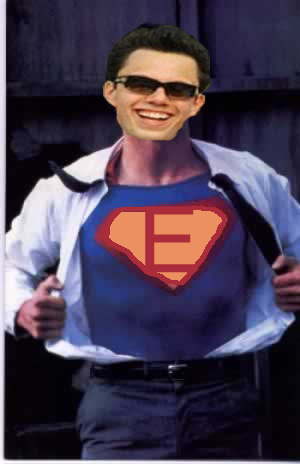
Euge as Superman, with an E on his chest

A dedication

SUPER EUGE

Eugene. The other half of PlanJam.

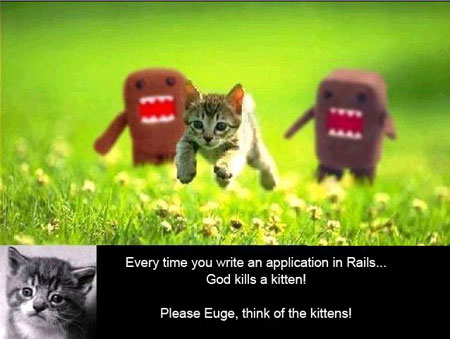
“Please Euge, think of the kittens!”

2005 – 2008

The making of PlanJam

Two people, ten months, and the experience of exactly one personal website between them. This is the story as it was written on the original site in 2006, with the designs from every step along the way.

Read the original introduction

Everything you see on this site was developed by two people within a matter of 10 months. But that's not really going to impress you – there is, after all, a plethora of websites out there with better features and designs. The content of this site isn't that impressive either; it is accessible to everyone, and all we did was aggregate it in one place. Although the features are fun to play with and are very Web 2.0ish, the technology itself has been around for a long time. So why should you spend your time reading this if it’s not supposed to impress you?

The answer is simple; we are not trying to impress you at all. Our goal, in putting together this write-up, is to help you get a better understanding of what it takes to come up with an idea and make it a reality. The rules are the same under most circumstances and across all industries – this example just happens to deal with the web.

Although experience is crucial for developing and running any successful business, don’t become discouraged if you aren’t particularly knowledgeable about a certain subject. All it takes is an idea that you really believe in and a passion to see it come to life.

When we began developing Planjam in February 2006, I had absolutely no idea about what it takes to develop a website. I knew nothing about Javascript, never heard of AJAX, and I was clueless about even the most fundamental aspects of html (although I did know how to make text bold).

My partner graduated with a degree in Computer Science and was working with a company developing software for motion control systems. He had developed one other website in the past, but it was strictly for personal use.

With the experience of only a single website between us, we set out to develop our concept. I'll begin with probably the most important aspect of any business, the idea. It’s always fun to recount the events that led up to the conception of an idea, especially when you consider all those little variables that went into effect.

  1. 1

    November 2005

    The idea

    Senior year at USC, an entrepreneurship class, and a date 25 miles away in a neighborhood with nothing obvious to do. Why was there no way to find and plan things to do on an everyday basis?

    “Why isn’t there a way to find and plan things to do on an everyday basis?”
    Read the original chapter

    It's mid-November and nearing towards the end of my first semester as a senior at the University of Southern California. In a few months I would graduate, although I still didn’t have a clue about what I wanted to do. However, I did know one thing for certain – the fact that I wanted to be my own boss.

    So I’m sitting in my entrepreneurship class at USC listening to our weekly speaker. This week’s guest was Adam Isrow, the founder of goconcierge.net, a web-based guest services software used by the hotel industry. Meanwhile, I couldn’t help but think about a date I made for the weekend.

    She lived about 25 miles from my house and I had no idea about what to do in her neighborhood. All I knew was that I did not want to drive all the way back home to take her out. So what were we going to do? Was I going to do something fun and spontaneous with her? Or was I going to just play it safe? Where were we going to eat?

    After pondering these things, I tuned back into Adam’s lecture. At that exact moment, he mentioned something about planning various activities for hotel guests. Then I thought to myself, “Why isn’t there a way to find and plan things to do on an everyday basis?....a system that helps you to plan where to go, what to do and what to see, depending on specific criteria that you enter.” Figuring out what to do locally has always been a challenge for me, and since human nature makes us creatures of habit, I have a tendency of doing the same things over again.

    The first thing that came to mind was developing some sort of website in which a user could enter the specifics of their date and would be given a planned itinerary. The criteria I initially jotted down was location of the date, dater’s budget, date theme (fun or romantic), time of the date (morning, afternoon, night), and information about your date. I envisioned the typical user as male, and I had planned to figure out what women really wanted. I had a very ambitious goal…to find a correlation between what women wanted to do on a date, their age, and their place of birth. (I would later develop two sets of surveys—one for males and one for females).

  2. 2

    Late 2005

    Finding a partner

    The first call went to Eugene, a friend since 2nd grade with a computer science degree. He was in from the start, and in the same call shot holes through the idea: he could handle the technology, but data on what women want from a date was impossible to get.

    “He expressed interest right from the start.”
    Read the original chapter

    Finding A Partner

    The most important thing to remember when selecting a partner to work with is finding someone who shares similar expectations. Having one person that wants to invest time and energy to develop a quality website and another who wants to make a quick buck is not a good match. Also, when selecting your partner, try to find someone with qualities that compliment your own. Having like minded individuals working together can minimize conflicts, but at the same time, it can also hinder creativity.

    When you run your ideas by potential partners, don’t be so worried about them taking your idea and doing it on their own. It’s one thing to have a good idea and another to do something with it. Seeing an idea through to its completion successfully requires a lot of effort, and this becomes increasingly difficult as you encounter obstacles.

    As soon as I got out of class I had this burning desire to share my idea with someone…but whom? The first person that came to mind was Eugene Gimelberg, a long-time friend that I lost touch with since we graduated from high school about 5 years prior. I knew that he graduated with a degree in Computer Science but I had no idea what he was doing.

    So I called him up just as he was leaving work and I ran my idea by him. I explained what I wanted to do and asked him if he would be interested in working with me. He expressed interest right from the start – noting that he could handle the technology aspect, but obtaining the necessary information on women would be impossible. I told him that I would think it over a little more and would get back to him with some more ideas.

    After speaking to Eugene I was a little discouraged because he shot holes through my idea – but he had an excellent point. I spent the next couple of weeks rethinking the idea and decided to approach Eugene once again with a new concept.

  3. 3

    January 2006

    The new concept

    Instead of handing people an itinerary, let them build their own: drag activities into a cart that adds up the time and money. The first sketches were crude, and Euge ran the first live demos off his laptop.

    “I remember Eugene mentioning something about having dynamic content displayed with DHTML and AJAX, meanwhile, I couldn’t help but think of the household cleaner.”
    Read the original chapter

    The New Concept

    It was sometime in mid-January when I approached Eugene again with a new spin on the idea. Rather than providing the user with a planned itinerary for their date, we would allow them to customize their own date based on the same criteria. Furthermore, we would also focus on helping the user plan other aspects of their daily lives. Eugene liked the idea and we got together to discuss it further.

    We wanted to provide users with an interactive experience, one that was both intuitive and had all of the ideas up-front. We agreed to focus initially on dating, allowing users to customize their own date or event based on their individual preferences and geographic location.

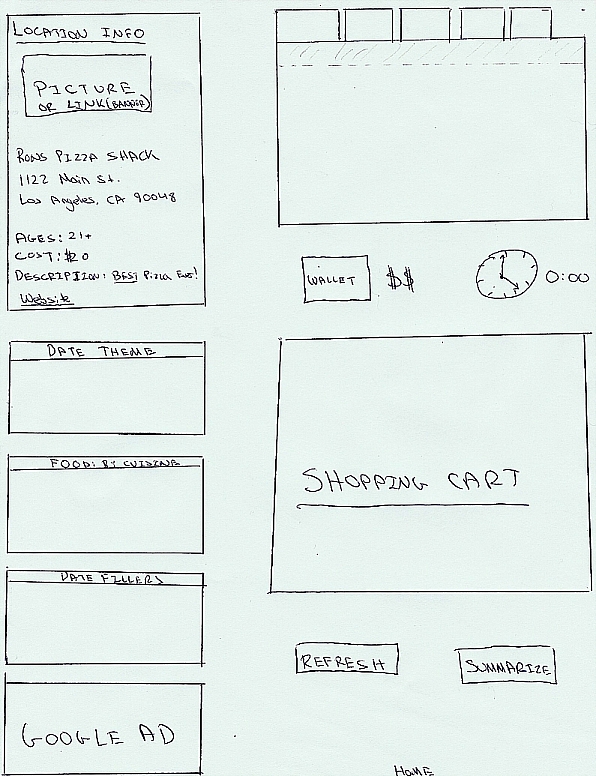
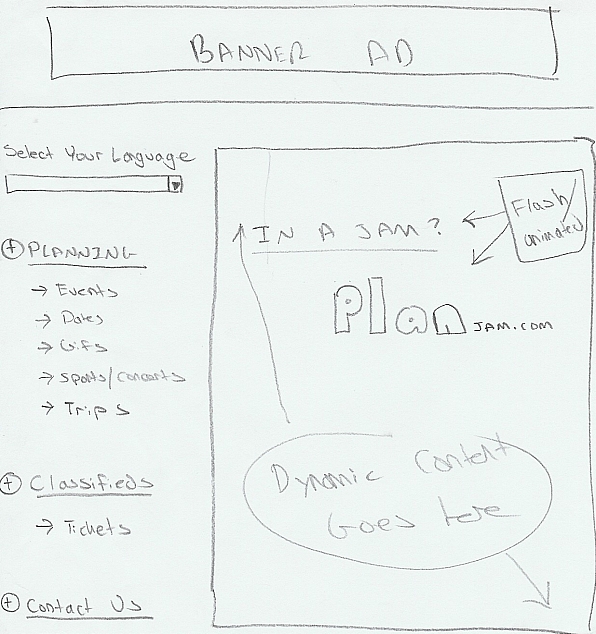
    The first design we ever came up with (shown left) was terribly crude. I remember Eugene mentioning something about having dynamic content displayed with DHTML and AJAX, meanwhile, I couldn't help but think of the household cleaner.

    We wanted to create an interface that was familiar and easy to understand. So, we decided on the drag and drop functionality. Users would drop selected activities into a shipping cart that would store them and display the total amount of time and money required for the date (shown right).

    Now that we had our design down on paper it was time to see if it can work on the web. Hosting the site from his laptop, Eugene put together the first of many live demos of the site. Interestingly, despite all the changes and revisions, the actual design and positioning of elements remains the same today.

  4. 4

    February – April 2006

    From paper to life

    The site was broken into four areas: location info, tab navigation, the menu and the carts. Design emails went back and forth every day, and the navigation tabs for 150-plus date activities were drawn in Microsoft Paint.

    Read the original chapter

    From Paper To Life

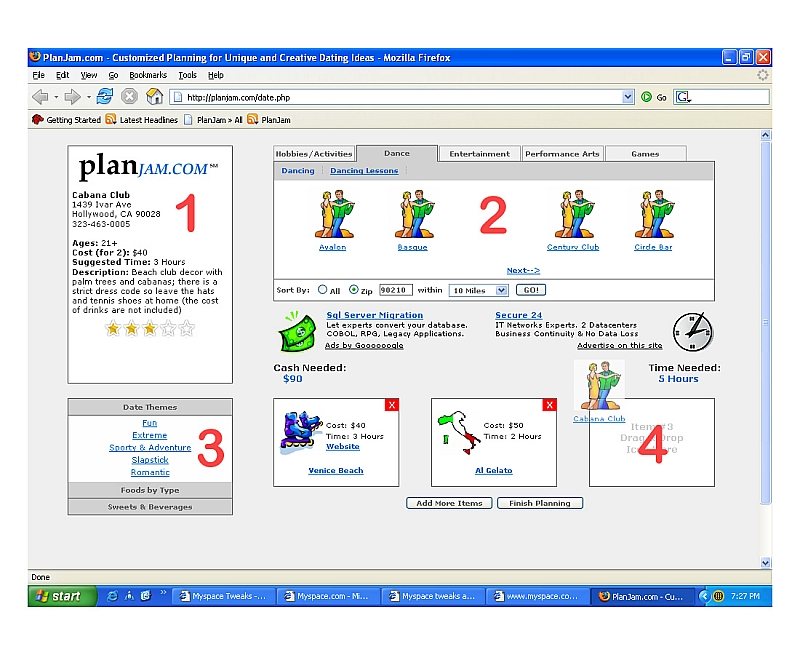
    It's one thing to draw out your idea on paper and another to make it look right on the screen. To be successful, you should break down your project and handle one aspect at a time. It is very tempting to add new features and make changes as you go, but try to finish one thing at a time and revise at a later date (unless of course the changes would dramatically effect other aspects of the site). To get going, we broke the site up into 4 major areas (Image A): Location Info Box Navigation Tab Navigation Menu Carts

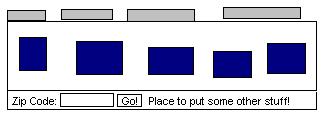
    Now it was time to start designing one area at a time. Each day, Eugene and I would shoot across design emails. Neither of us had any design experience, so we just did the best we could. We wanted to begin with the most complex element; the navigation tabs (Image B) which we put together in Microsoft Paint. We had over 150 date activities and we had to find a way to logically organize them. After looking through literally thousands of CSS menu options, we found a design that we instantly connected with.

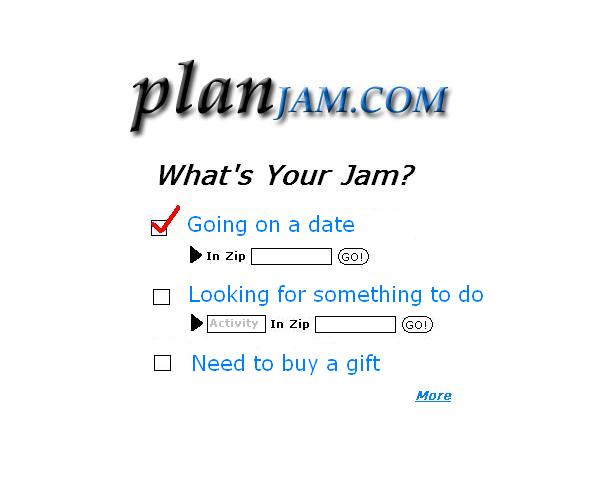
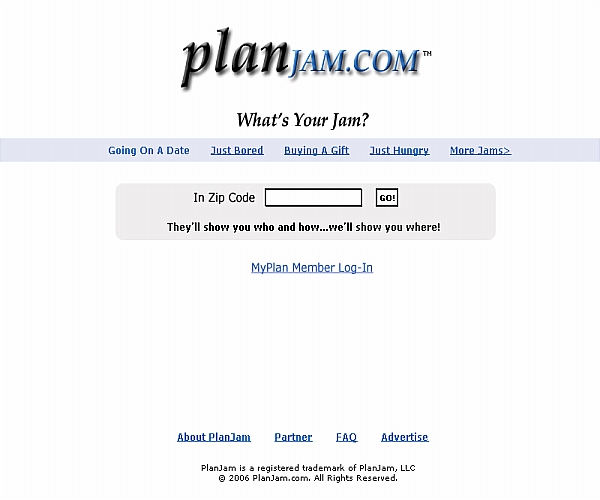
    Don't be afraid to use other websites for inspiration because every great idea is inspired by something else. If you want to design a unique website from scratch, try to find other sites that you like and incorporate some of the things that they do well. This does not mean actually copying them, but you will be surprised how far you can go once you have that initial idea. For example look at how we went from this design (Image C) for our home page to what we currently have now.

  5. 5

    April – June 2006

    The process of design

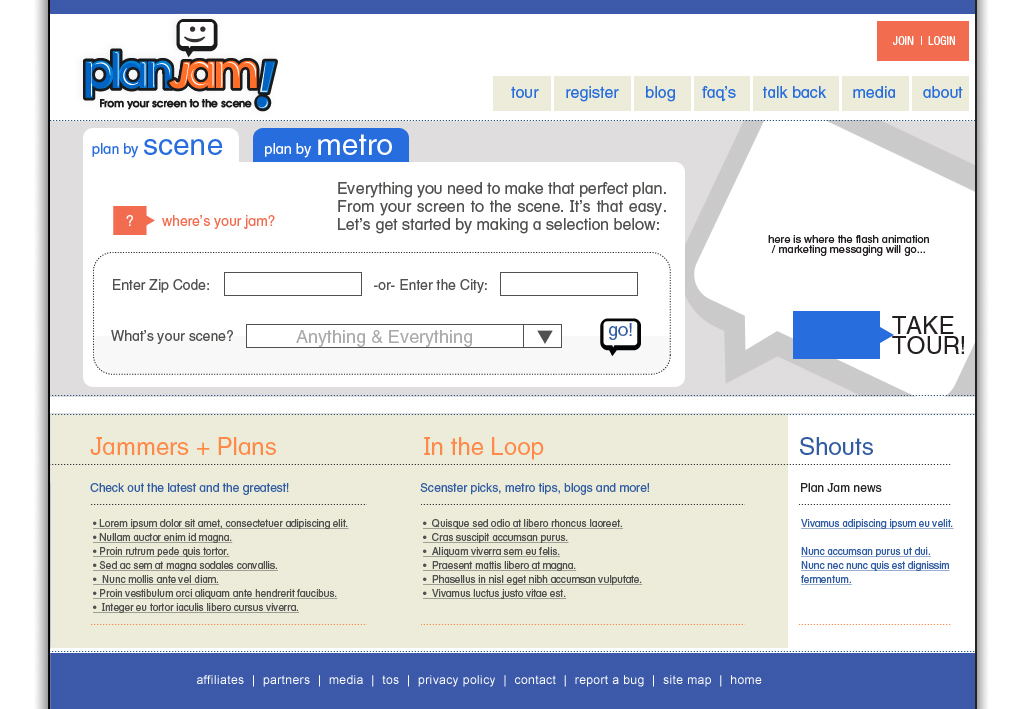
    An MS Paint homepage, then a first Photoshop sketch that looked a lot like Google, then the version that shipped in late June 2006. After launch came a Web 2.0 redesign with buttons, gradients and shadows.

    “Looks an awful lot like Google, don’t you agree?”
    Read the original chapter

    The Process of Design

    If you take a look at what we first started with (Image A), you will get a really good idea of what we had in mind. The design was created in MS Paint sometime in April 2006, and it was the probably the best example of our design skills when we first started. So if you are a little self-conscious about your abilities as a designer, don't become alarmed, there is hope for you yet.

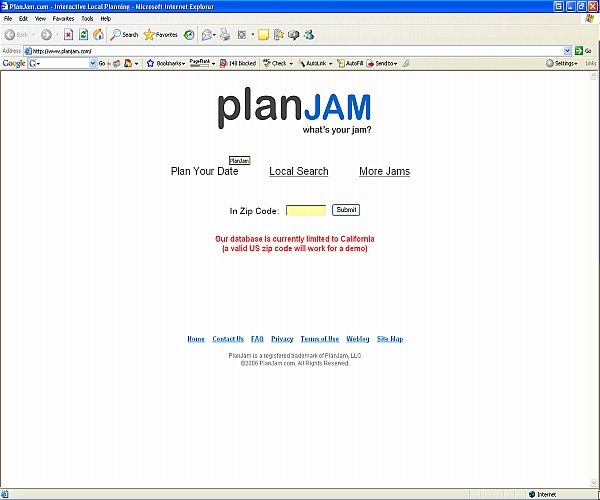
    As I mentioned earlier, all inspirations for design usually come from something else. But before I could become a "designer", I had to update my toolbox. I decided to finally download Photoshop and searched online for some how-to's on using it. About a week later, I put together a rough sketch of our new homepage (Image B). Looks an awful lot like Google, don't you agree? We would eventually take this design a little further, but we agreed that this design (Image C) would suffice for our first release in late June.

    One of the biggest mistakes web developers make is pouring in tons of money and energy into a website that has no potential. Could we have designed a better looking site from the start, sure. But that would have forced us to hire a professional web designer, a very costly service which varies with the experience of the designer. Before we were ready to invest that kind of money, we wanted to make sure that our concept would appeal to the public.

    Post-Launch Design

    As soon as we launched, we got excellent feedback from our users. As traffic started coming in and as people began using the site (I will discuss the marketing & promotion tactics elsewhere), we felt it was safe to move away from our proof-of-concept. You should always set up some sort of benchmark of where you expect to be with your site at a certain point. Don't estimate a hundred thousand users in the first week, because unless you have an advertising budget to match, it probably won't happen. Spending some time to develop a conservative goal before you launch will make your decision to move forward in the future significantly easier.

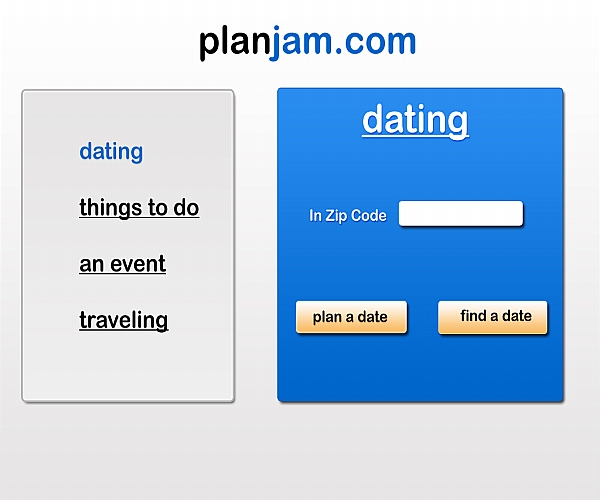
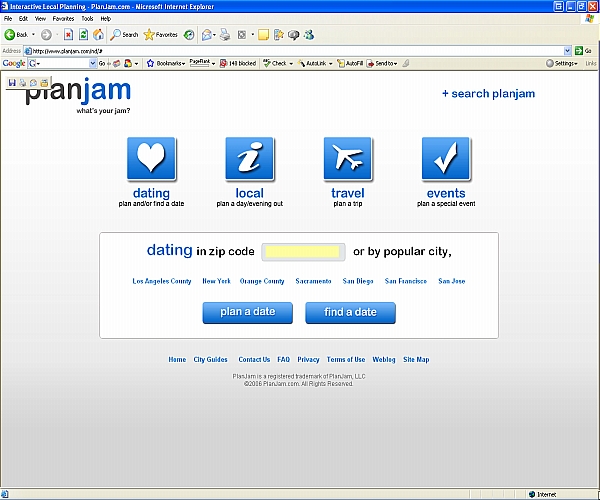
    We began searching the web for design ideas to inspire our new look. We found the style we were looking for and it was, pardon the cliché term, Web 2.0ish. Rather than hire a designer, we decided to take a stab at it ourselves. I took some time to learn about buttons, gradients and shadows, and put together the first draft of our new page (Image D). As you can see, it wasn't the most attractive design, but it was an excellent stepping stone to our next version (Image E), which we are using in our latest release.

    Although the design is important, incorporating useful features into your site will dictate your success. Many of today's Web 2.0 websites look amazing but when you really think about it, what do they do? Before I finish up this tutorial/walk-through, let me briefly touch upon how to choose the right features for your user.

  6. 6

    June – November 2006

    Choosing features

    Launch had drag-and-drop date planning, ratings and reviews, and driving directions. By November there were saved and shared plans, 35,000 new places in California and New York, nightlife, Find a Date, local planning and city guides.

    Read the original chapter

    Choosing Features

    Selecting appropriate features for the user is critical to the success of your website. Adding too many features at once can overwhelm your user and turn them away, but adding too little will never bring them back. Your goal as a web developer is to find the proper balance of features to keep the user coming back and wanting more.

    There is nothing wrong with releasing your features slowly. When you first release your website, start out with only the basic features to get your users familiar with the site. When you decide which features to include, try to put yourself in the user’s shoes. Think about what you would like to see on the site as a first time user. Include only those features and see how well the site is accepted (if necessary add more). There is nothing wrong with leaving your user wanting more.

    If you plan on adding features soon, let your users know so that they will check back at a later time. Set up a blog in which you track your progress through the development process, or better yet, have them subscribe to an email list and notify them when you add new features. There are plenty of ways of keeping your user in the loop.

    Planjam's June 2006 Features

    Just in case you're wondering what features you should start with and what you should add, let me share our experience. You may or may not agree with the process we went with, but at least it'll help you get a better idea of where to start.

    Plan A Date Drag & Drop Functionality (courtesy of script.aculo.us) Multifaceted Lightbox to display additional information for a location (Graphics By Greg) Accordion Menu (courtesy of Moo.fx) Prototype JS Framework Star Rating System Ability To Leave Detailed Reviews Point-To-Point Driving Directions Sorting Activities By Zip Code

    Planjam's Novemeber 2006 Features

    As we evaluated the feedback we received from the users, we decided to incorporate a significant amount of new features into the website. We kept the same features we had in the past and added the following:

    Plan A Date Optimized code to increase website loading speed. You can now save your date and share it with others (image upload added as well). Results are sorted based on their proximity to a zip code. Added 35,000 new activities/restaurants for California and New York State. Added new Nightlife content. Ability to email point-to-point driving directions with an option to enter a starting point. Additional carts can be accessed through a vertical scroll bar (as opposed to having 9-12 carts displayed on load). Added search functionality.

    Find A Date Search for other daters in your area who share similar interests and want to do the same activities.

    Local Planning Same features as "Plan A Date" Users have access to the same database of activities/restaurants as in "Plan A Date" (this feature is not centered around dating). Users can share and email their plan to friends (as opposed to sharing their date).

    Local City Guides Added detailed information on Dining, Nightlife, Date Ideas, and Local Activities for select cities. Integrated planning aspects into the pages.

    The find/share date feature is a good example of how to test out a new feature. Rather than having the user sign up and go through the entire membership process, we have decided to make it more of a craigslist type interface for the time being. Users simply plan their date, enter basic information about themselves, and share it with others. In the future, and depending on its popularity, we will add additional features to it. Either way, we were able to create a seemingly complex feature by utilizing the information that was already being stored for date planning.
  7. 7

    December 2006

    6,000 hours later

    Ten months and well over 6,000 hours between the two of them, starting from a single personal website’s worth of experience.

    “Contrary to popular belief - if you build it, they won’t come.”
    Soundtrack by DJ TriumphEvery one of those hours had Tim’s mixes playing. That’s how they got through it.▶ Listen
    Read the original chapter

    Conclusion

    The opportunities available to you on the web are endless. If you have an idea that you truly believe in, don't let anyone convince you otherwise. There will always be people out there that will tell you that it will never work or that it has been done before, but don't get discouraged. Continue to push forward and don't give up until you have seen it through all the way to the end.

    Over the last 10 months, Eugene and I have easily put in over 6,000 hours to make the website what it is today. Making money online (and I am not referring to those Made-For-AdSense websites) is extremely difficult and the margin of success is very small. Regardless of what happens to planjam, the two of us have learned more over the past 10 months than we could have ever imagined possible. We have spent the last few months perfecting our proof-of-concept to deliver a final product that we are truly proud of.

    I hope that after reading this, you have a good idea of what it takes to come up with and develop a website from scratch, regardless of how much web experience you may have. Delivering a complete website is not an easy feat and it requires a considerable amount of work. But when you are finally finished and ready to unveil your website to the public, you will feel a great sense of pride because you can look back and see what all your hard work has done.

    If I can leave you with one final piece of advice, it's to be patient. Things don't happen over night, and contrary to popular belief - if you build it, they won't come. Be prepared to work hard because you will have to earn every set of eyes that go on to your website.

    If you have any questions, ideas, comments, or just want to say hi, please feel free to contact me.

  8. 8

    Early 2008

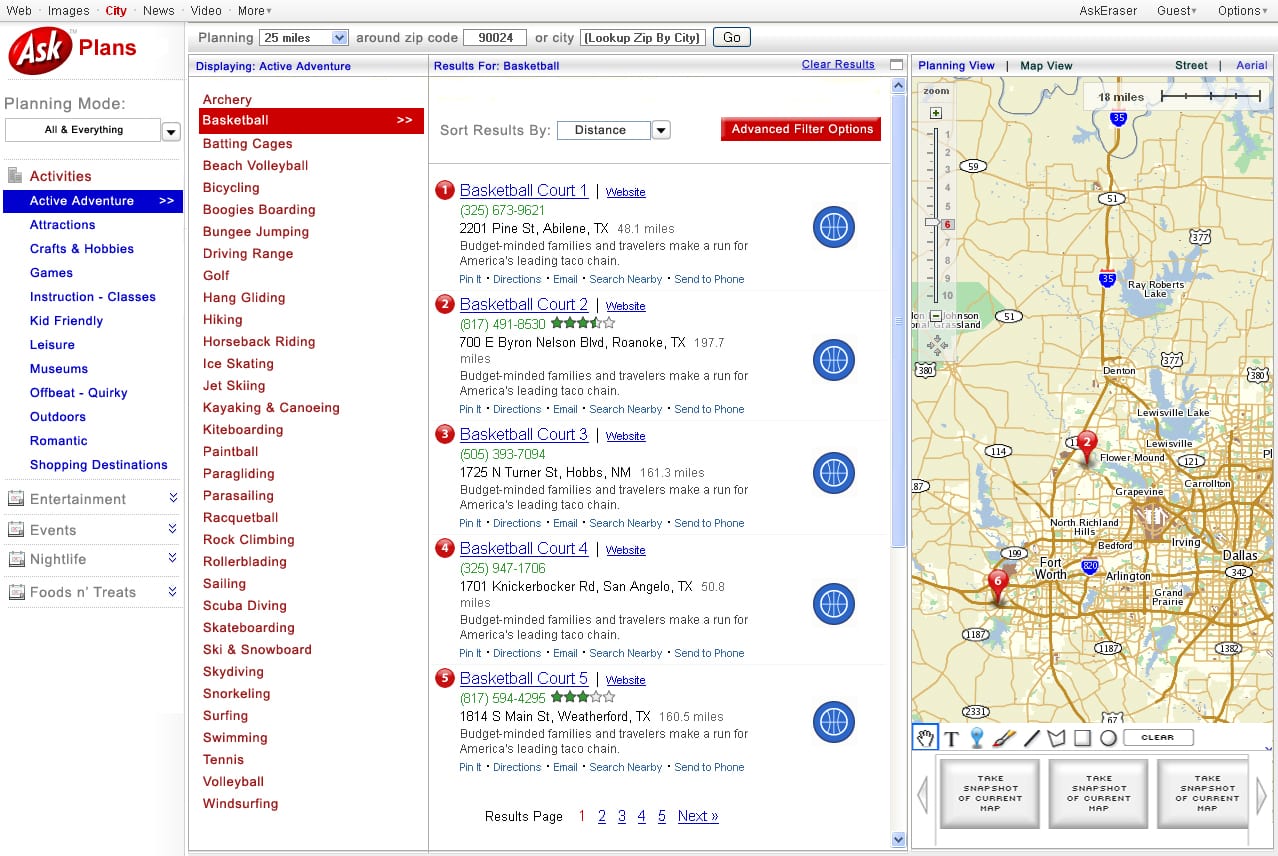
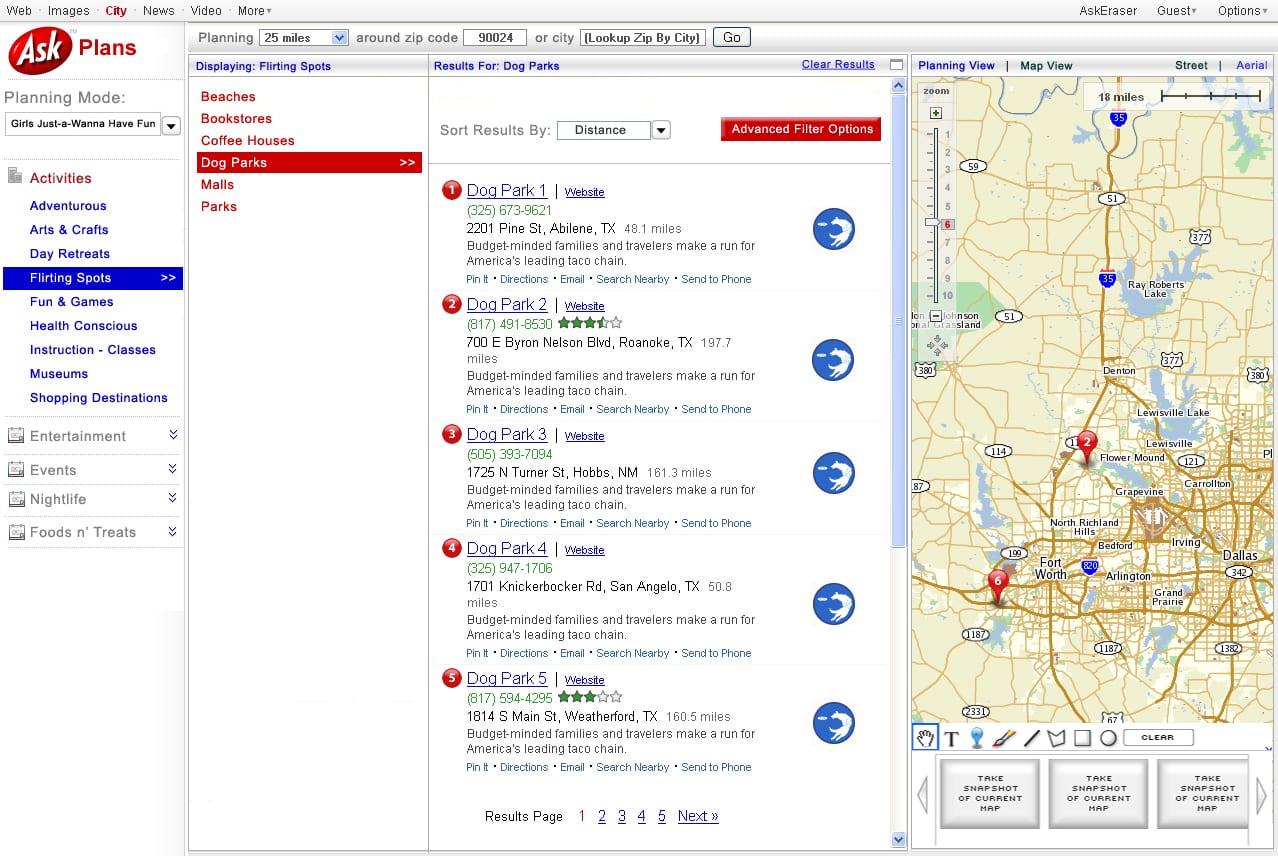
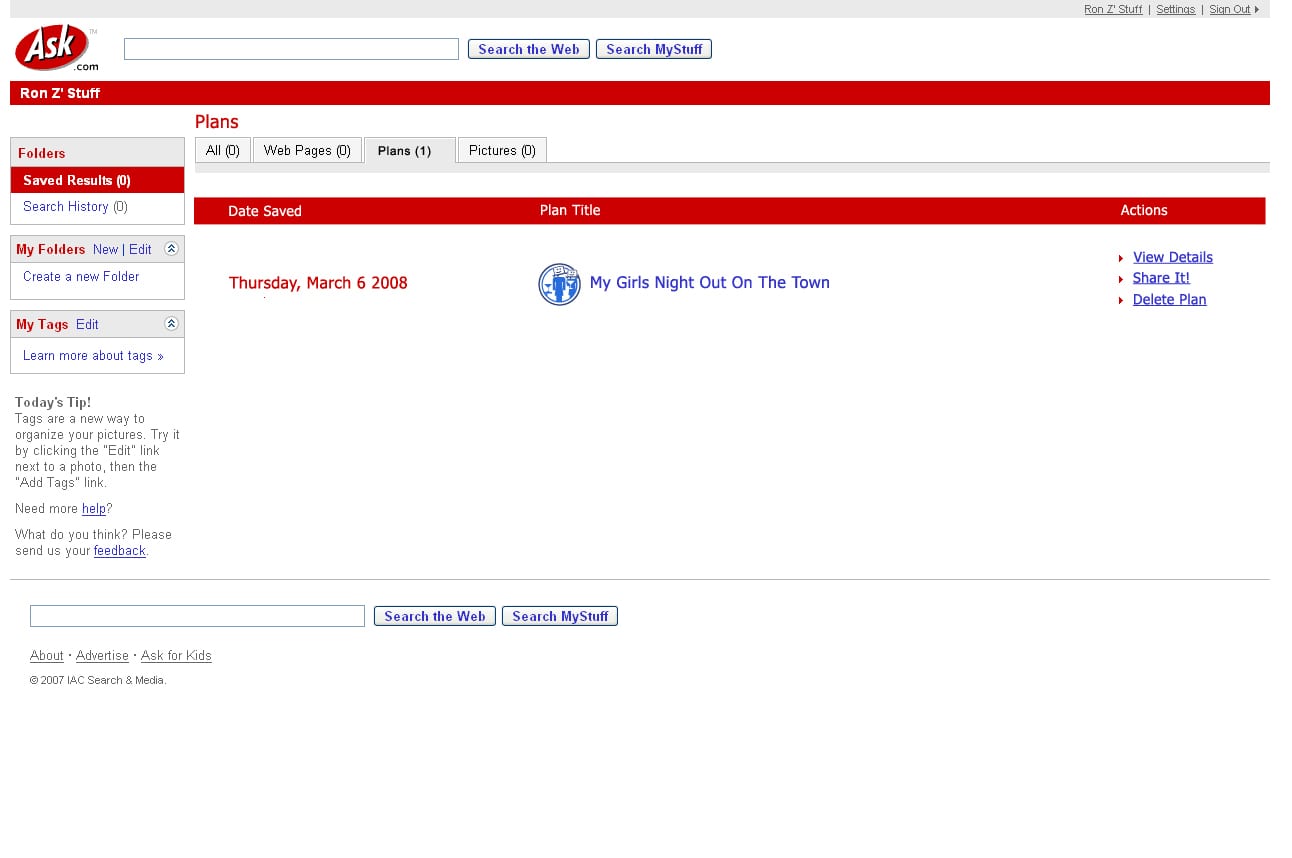
    Ask Plans: the cobrand that almost was

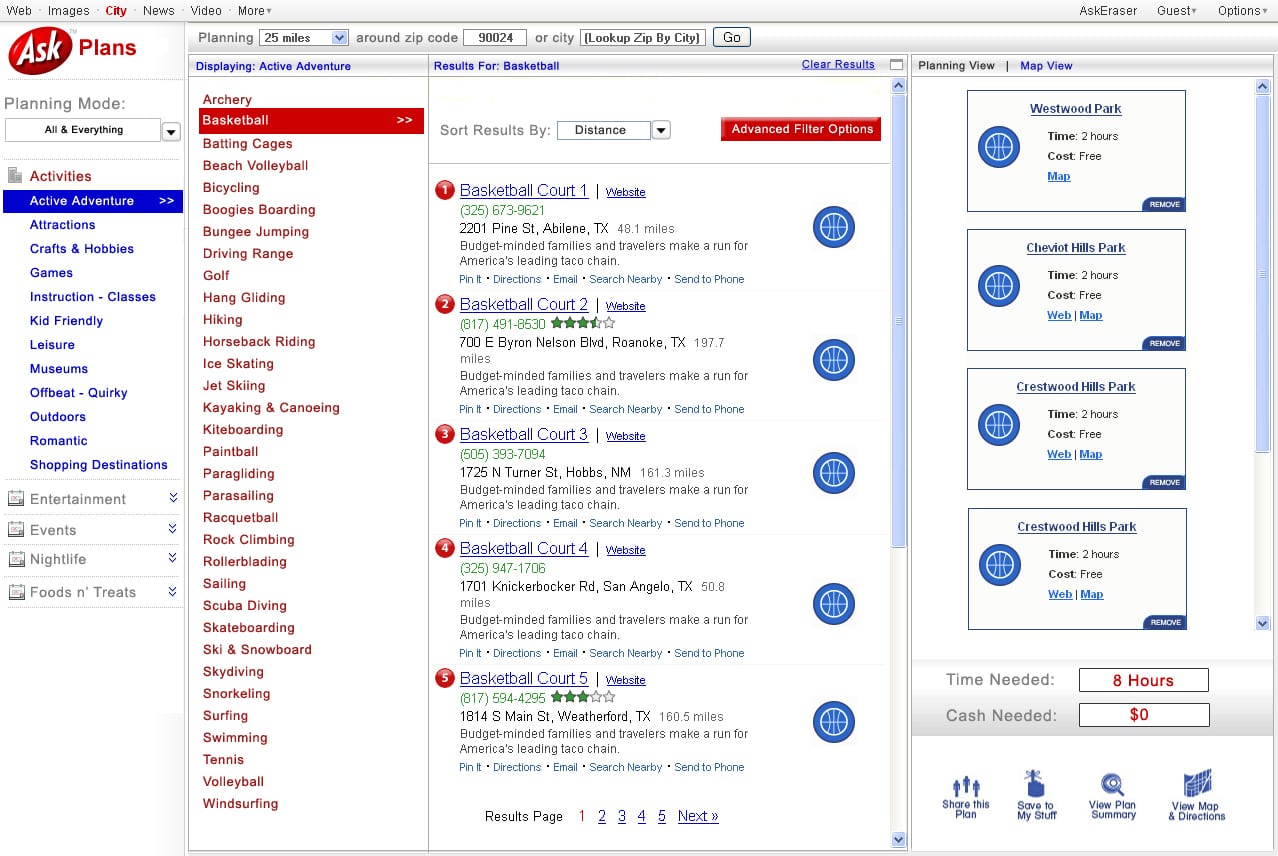
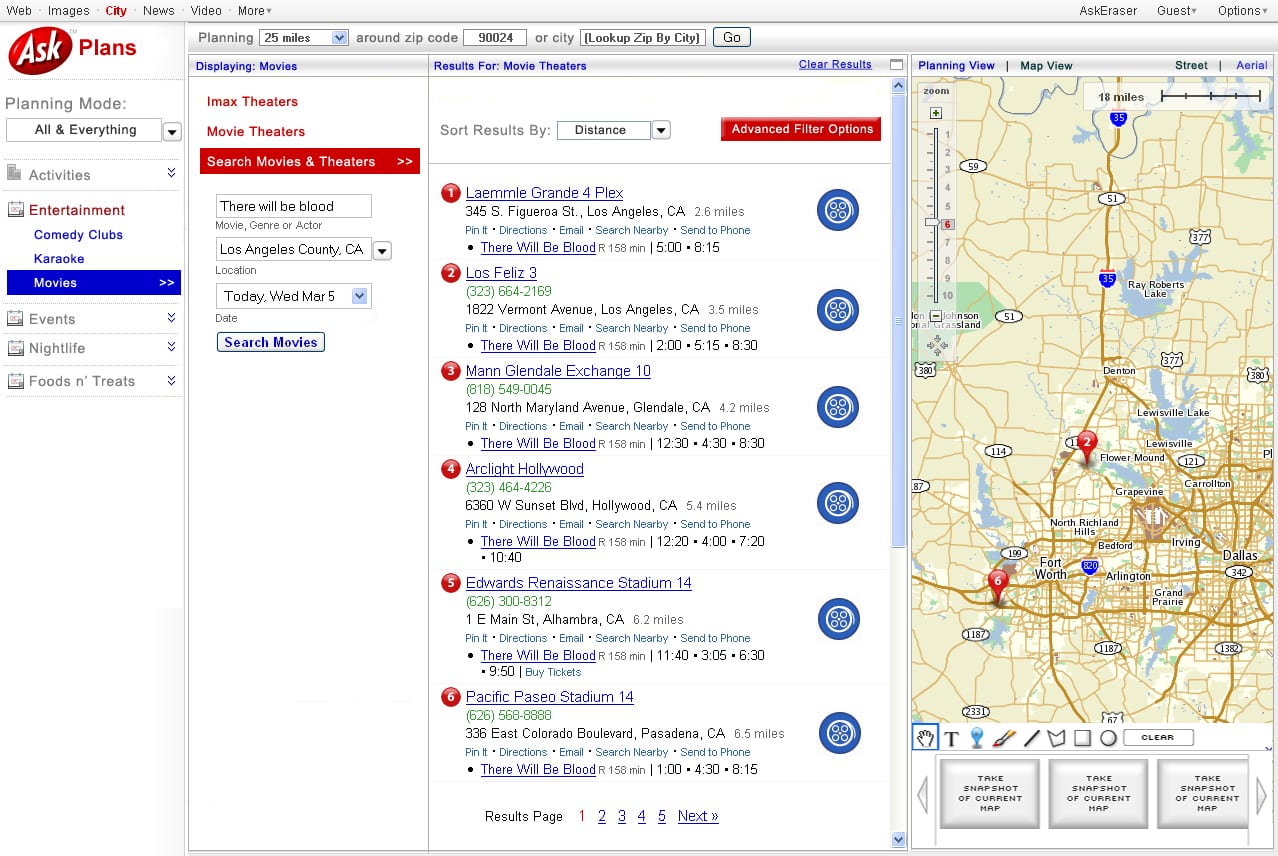
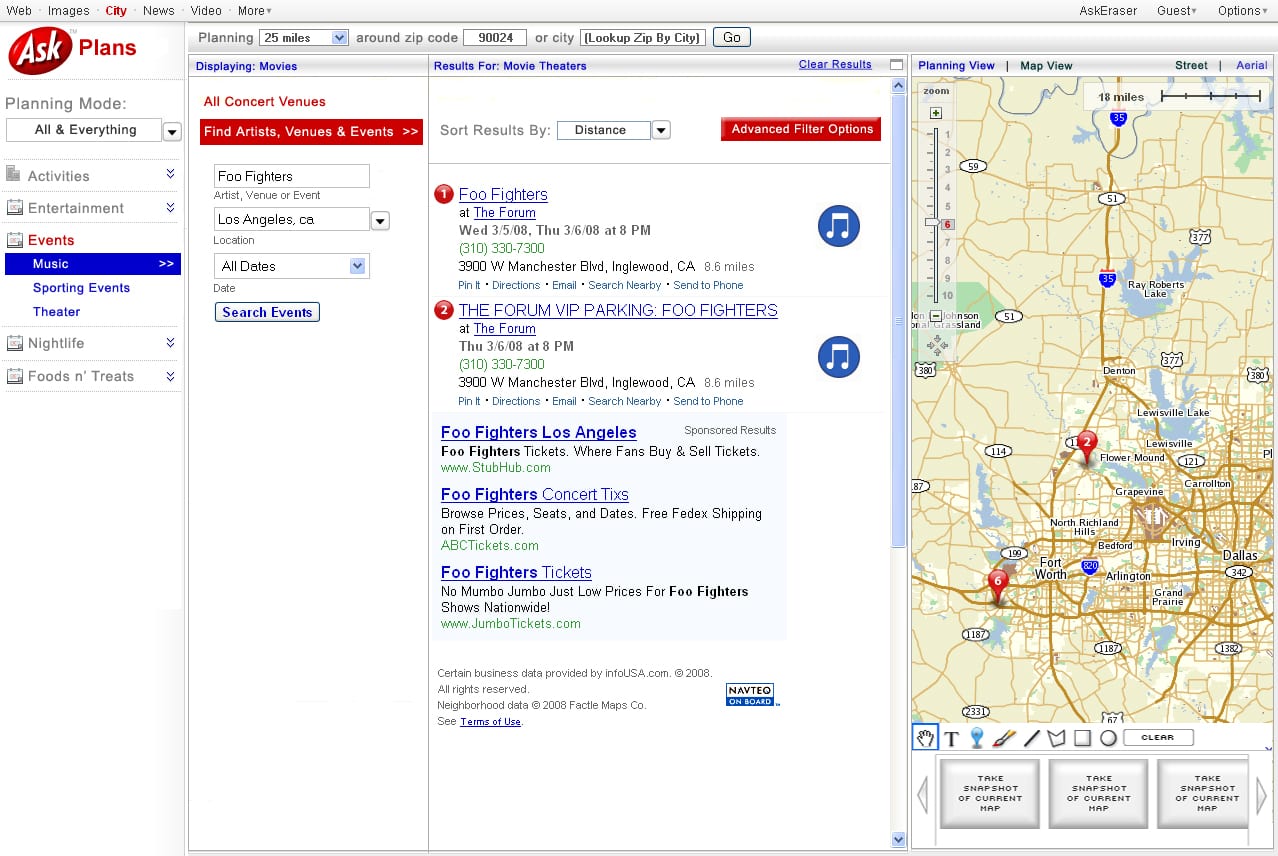
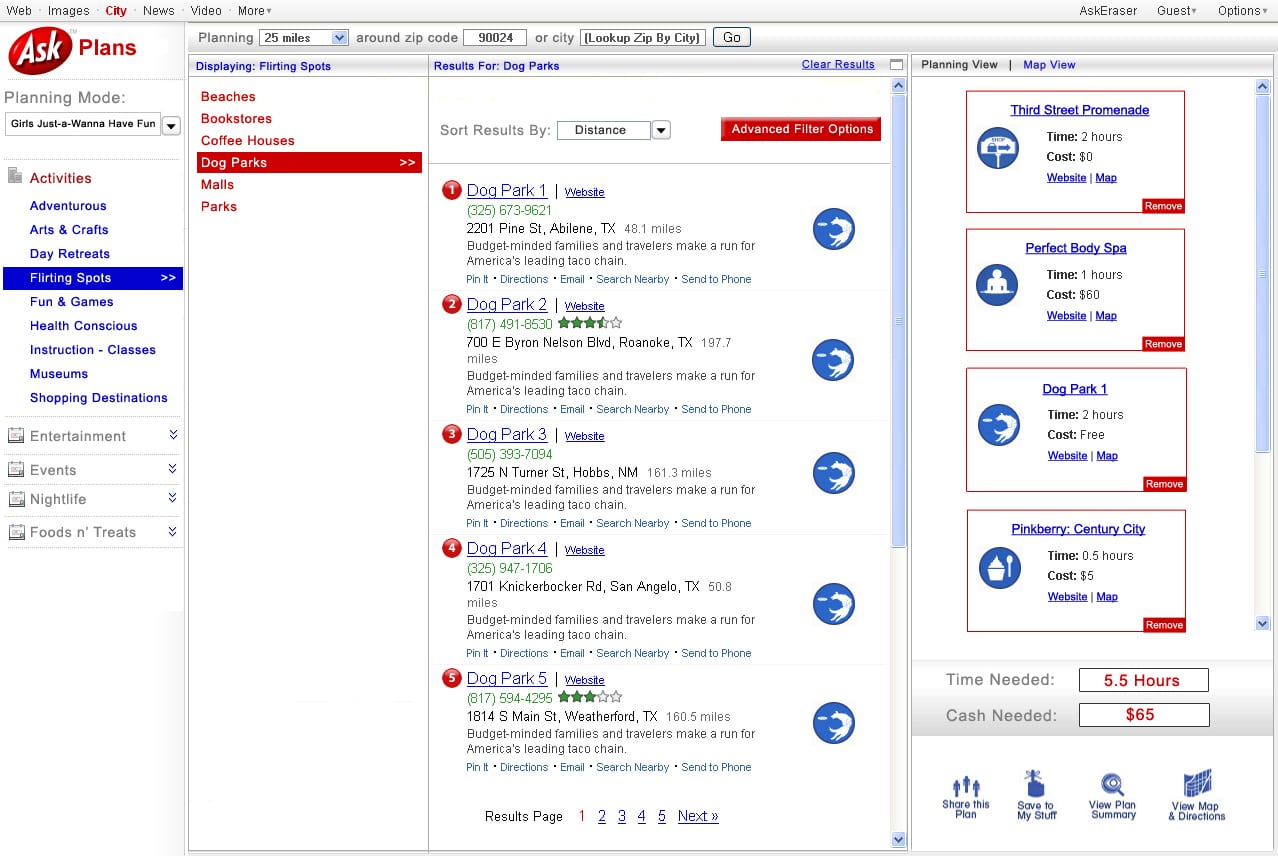
    Ron had a vision: PlanJam, but red, with Ask.com’s logo on top and a brand-new City tab wedged between News and Video. He mocked up every screen: the planner and its carts, a map view, “Pin It” and “Send to Phone” (in 2008), and plans saved to Ask MyStuff on a page titled “Ron Z’ Stuff”, apostrophe and all. Both companies later went out of business. Neither has ever publicly blamed the other.

The Euge files

Tributes from the PlanJam crew.

Banner ad: Euge’s Oatmeal Shack. We do oatmeal, right.

Pull request #1 · Changes requested

The code review

Euge wrote the code that ran PlanJam for well over a decade. We went back and read it, so you don’t have to. Every snippet below is real.

#01

Ron lives inside Euge

plan.php, L01Menu.html, js/planjam/PlanInterface.js
<iframe id="euge" name="euge" style="width:190px;height:440px;" src="L01Menu.html" frameborder="0" scrolling="no"></iframe>

<!-- L01Menu.html -->
<div id="ron">
</div>

<!-- PlanInterface.js -->
		if(!IFrameLoaded)
		{
			//Still not loaded, keep checking
			window.setTimeout(this.WaitForIframeLoad.bind(this), 20);
			this.L01_Document = GetIFrameDocument("euge");
			this.L01_Root 		= $(this.L01_Document.getElementById("ron"));

The planner’s whole activity menu lives in a div called “ron”, inside an iframe called “euge”, and the page asks every 20 milliseconds whether Euge is ready yet. Some things never change.

#02

Version control, Euge style

new/euge/m2/nppBackup/
$ ls new/euge/m2/nppBackup/
indexR.php.2008-01-15_063738.bak
indexR.php.2008-01-15_063744.bak
indexR.php.2008-01-15_063749.bak
indexR.php.2008-01-15_063820.bak
indexR.php.2008-01-15_064231.bak
indexR.php.2008-01-15_064400.bak
indexR.php.2008-01-15_064423.bak

Seven commits in seven minutes, starting at 6:37 in the morning, courtesy of Notepad++’s backup-on-save. Then he deployed the backup folder to production.

#03

The fork

GetActsData.php vs GetActsDataEUGE.php
$ diff GetActsData.php GetActsDataEUGE.php
8c8
< 		$_POST['fG'] = filter group
---
> 		$_POST['aG'] = activity group
120c120
< 		 JSON_SEP, "\"fG\"", JSON_OBJ_DEF, $_POST["fG"], JSON_OBJ_END;
---
> 		 JSON_SEP, "\"aG\"", JSON_OBJ_DEF, $_POST["aG"], JSON_OBJ_END;

A 122-line copy of a file to rename one variable. He also kept DD.js and DDEUGE.js (3,000 lines each), plus PlanInterface.js, PlanInterfaceEUGE.js and PlanInterfacePREFF3.js. Branches are for trees.

#04

Calls Yelp, blames Yahoo

GetEugeData.php
// line 76 (key removed): GET api.yelp.com/business_review_search ... category=coffee &location=93101

				//Pack info together like all other groups
				 "\"TCD\"", 				JSON_OBJ_DEF, "\"", ".5", ";", "10", ";", $business["categories"][0]["name"], ";", "\"";

	case 503:
		die('Your call to Yahoo Web Services failed and returned an HTTP status of 503. That means: Service unavailable. An internal problem prevented us from returning data to you.');

$data = strstr($response, "{\"message\": {\"te");

In the one file named after himself, Euge calls Yelp and, when it fails, blames Yahoo. Every coffee shop in Santa Barbara gets the same half hour and ten bucks, and the JSON is found by searching the reply for the first 16 characters he hoped it would start with.

#05

Artisanal, hand-rolled JSON

PJUtils.php, GetActsData.php
define("JSON_OBJ_START", 	"{");
define("JSON_OBJ_END", 		"}");
define("JSON_ARR_START", 	"[");
define("JSON_ARR_END", 		"]");
define("JSON_SEP", 			",");
define("JSON_OBJ_DEF", 		":");

echo JSON_SEP, "\"i\"", JSON_OBJ_DEF, $_POST["i"],
     JSON_SEP, "\"fG\"", JSON_OBJ_DEF, $_POST["fG"], JSON_OBJ_END;

Six constants so a curly brace never gets mistyped, and the raw request echoed right back into the response. In fairness, json_encode() didn’t ship until PHP 5.2 in November 2006. In less fairness, he never went back.

#06

Success is coffee

PJUtils.php
	//Global success code
	define("SUCCESS",						0xC0FE);

	//Errors
	define("INTERNAL_ERROR",				0);

Zero means something broke. Success means coffee, spelled 0xC0FE because he was one F short of a C0FFEE. He copied it into three JavaScript files, in case the coffee wore off.

#07

Trust the client

GetActsData.php
$LocQuery .= "SELECT zipcode, ROUND($cosd, 1) AS Dist FROM zip_us " .
    "WHERE Latitude > $LowLatitude and Latitude < $HighLatitude and Longitude > $LowLongitude and Longitude < $HighLongitude ) " .
    "AS B on A.zip = B.zipcode order by " . $RESULT_ORDER_OPTS[$SortInput] . " limit 50 offset " . ( $_POST['p'] * 50);

$_POST straight into the SQL. The only thing standing between PlanJam and Little Bobby Tables was PHP quietly turning the input into a number when he multiplied it by 50. Also, the "radius" search is a box.

#08

Euge’s map of America

StateBorders.php
		'AK' => "'AK'",
		'DC' => "'VA', 'MD', 'PA', 'DE'",
		'HI' => "'HI'",
		'NH' => "'ME', 'VT', 'NY'",
		'WY' => "'MT', 'SD', 'NE', 'CO', 'UT', 'ID', 'MT'",

D.C. borders Pennsylvania and Delaware. New Hampshire skips Massachusetts to hang out with New York. Wyoming borders Montana twice, just to be sure, and Alaska and Hawaii are their own neighbors. This is the list behind “Show out of state results?”

#09

One table per cuisine. And per pair of cuisines.

planjam_v3db, planjam_v2db
CREATE TABLE `B_Cajun & Creole` ( ... );
CREATE TABLE `C_Eclectic & InternationalFrench` ( ... );
CREATE TABLE `C_Eclectic & InternationalPizza` ( ... );
CREATE TABLE `M_Cajun & Creole` ( ... ) ENGINE=MRG_MyISAM;
-- and in version 2:
CREATE TABLE `pj_lego'spuzzles` ( ... );

169 tables in one database. Spaces in the names, ampersands in the names, and an apostrophe in a table name, which is how you know someone was brave.

#10

Why normalize when you can number?

planjam_v3db.SavedPlans
CREATE TABLE `SavedPlans` (
  `PlanId` int(11) unsigned NOT NULL AUTO_INCREMENT,
  `Title` varchar(255) NOT NULL,
  `Act0` text NOT NULL,
  `Act1` text NOT NULL,
  -- ...eight more...
  `Act10` text NOT NULL,
  `Act11` text NOT NULL,
  ...
) ENGINE=MyISAM;
-- every Act holds a string like '<group>;<index>;<VendId>;<icon>;<note>'

Twelve numbered columns, each holding a semicolon-separated string. A thirteenth activity was simply not allowed. Friday nights had a hard limit.

#11

First Data Friendly

js/planjam/DD.js
				{
					t : "First Data Friendly",
					L2 :

	"Live Music", 		//4
	"Romanatic",   		//5
	"Serves Food",		//6

On a site built to plan dates, the Romantic scene recommends “First Data Friendly” activities, and bars can be filtered for “Romanatic”. He had databases on his mind on the first date.

#12

Rason is sorry

new/euge/m2/PlanR.php
								<li style="border-bottom:none;display:none;text-align:center;top:100px;">
									<img src="images/Rason-is-Sorry2.jpg" style="width:250px;"/>
								</li>
Rason-is-Sorry.jpg

When a search came up empty, Euge didn’t write an error message. He made Rason apologize: a cartoon chef holding a pizza, saying none of our locations match your criteria. The text is baked into the JPG, so fixing a typo meant opening Photoshop.

#13

Submit to Metro

js/planjam/PJPlans.js
	OnSubmitMetroClick : function(Evt)
	{
		Evt.stop();
		var Elem = Evt.element();
		Elem.update("<b>Submitted!</b>").setStyle({ color : "green", textDecoration : "none"});
	}

It turns green, says “Submitted!” and submits absolutely nothing. The most confident code on the site.

#14

HACK for hot tubs

Linky.php
			//HACK for hot tubs
			if($Index == 17) {++$Index;continue;}

		//Write the "Mega file"
		///Write the "Sub Mega files"
			fwrite($SubMegaFile, "<html><head><meta name=\"robots\" content=\"noindex,follow\" /></head></body>");

		echo "DONE!!!";

There was never a Hot Tub table, so instead of fixing the list he skipped number 17 with a HACK. Then he generated 2,925 SEO pages, named them the Mega file and the Sub Mega files, opened each one with a closing </body>, and celebrated with DONE!!!

#15

iesucks.css

euge/garbage/iesucks.css
#adAppContainer
{
	height:254px;
}

An entire stylesheet with one rule, named like a 2007 AIM away message, filed in a folder called garbage/. The garbage/ folder was live on the site.

#16

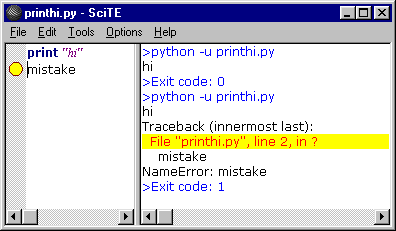
Euge writes Python

printhi.py
print "hi"
mistake

# >python -u printhi.py
# hi
# Traceback (innermost last):
#   File "printhi.py", line 2, in ?
#     mistake
# NameError: mistake
# >Exit code: 1
The evidence, as found in SciTE

A two-line program with one bug, and the bug is a line that says “mistake”. On a Python so old its tracebacks still said “innermost last”. This is the bug that made Euge give up on Python and move to Rails. The kittens never forgave him.

Approved anyway

Every endpoint ran its input through ValidateZipCode(), ValidateRadius() and friends, the drag-and-drop planner worked in 2006 browsers, and the whole thing served 271,000 rows across 169 tables until PHP 7 finally broke it. Not bad for a first real website. Thanks, Euge.